
Answer your website visitors, day and night

Anny Bot is a chat assistant for your website. It answers visitors' questions from your own pages, and sends their requests to your inbox and your CRM. You set it up yourself, with no technical skills.

Free for 14 days. Plans from $19 a month. Cancel at any time.

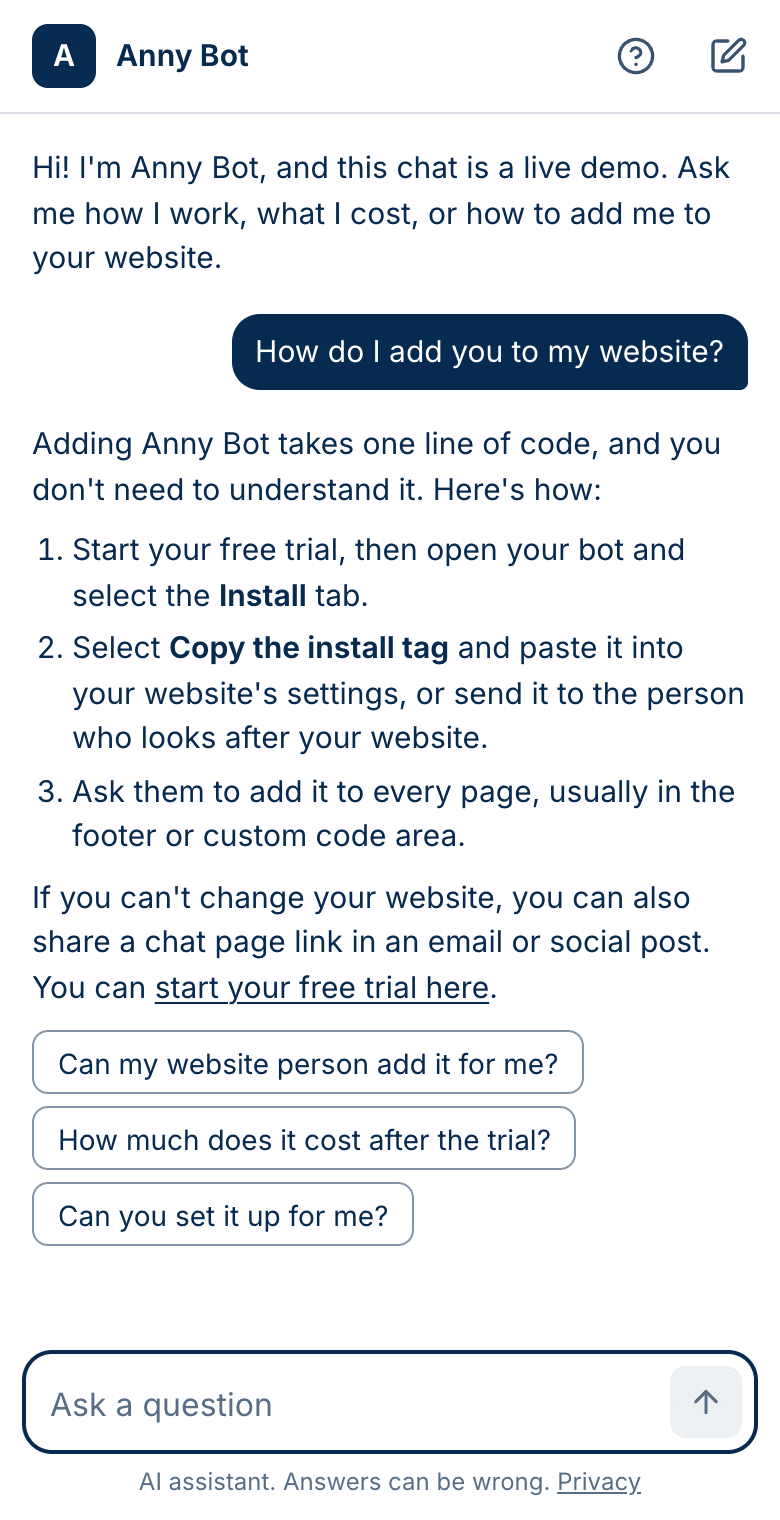
The Anny Bot chat on a phone. A visitor asks how to add the chat to a website, and the assistant answers in three short steps.
A real answer from the demo. Ask your own question with Try the live demo.

Three steps. No code to write.

All you need is your website address. If someone else looks after your website, they can do the last step for you.

  1. Add your website

    Type your website address. Anny Bot reads your pages, so it can answer from them. You can also add a file or a few lines of text, such as your parking rules.

  2. Try it, then publish

    Ask the questions that your visitors ask. When you like the answers, select Publish. Change your content and publish again at any time.

  3. Paste one line on your website

    Copy one line from Anny Bot and paste it into your website's settings, or send it to the person who looks after your website. The chat button then shows on every page.

Your website already has the answers

There is nothing to write from scratch. Type your website address, and Anny Bot reads your pages. Add more at any time:

  • Your website

    Type the address. Anny Bot reads the pages and skips any parts that you name, such as your blog.

  • A file

    Upload a PDF, Word, or text file, such as your house rules or a menu.

  • Text that you type

    Add an answer that is not on your website yet, such as your pet policy.

When your website changes, select Build release, try a few questions, and select Publish.
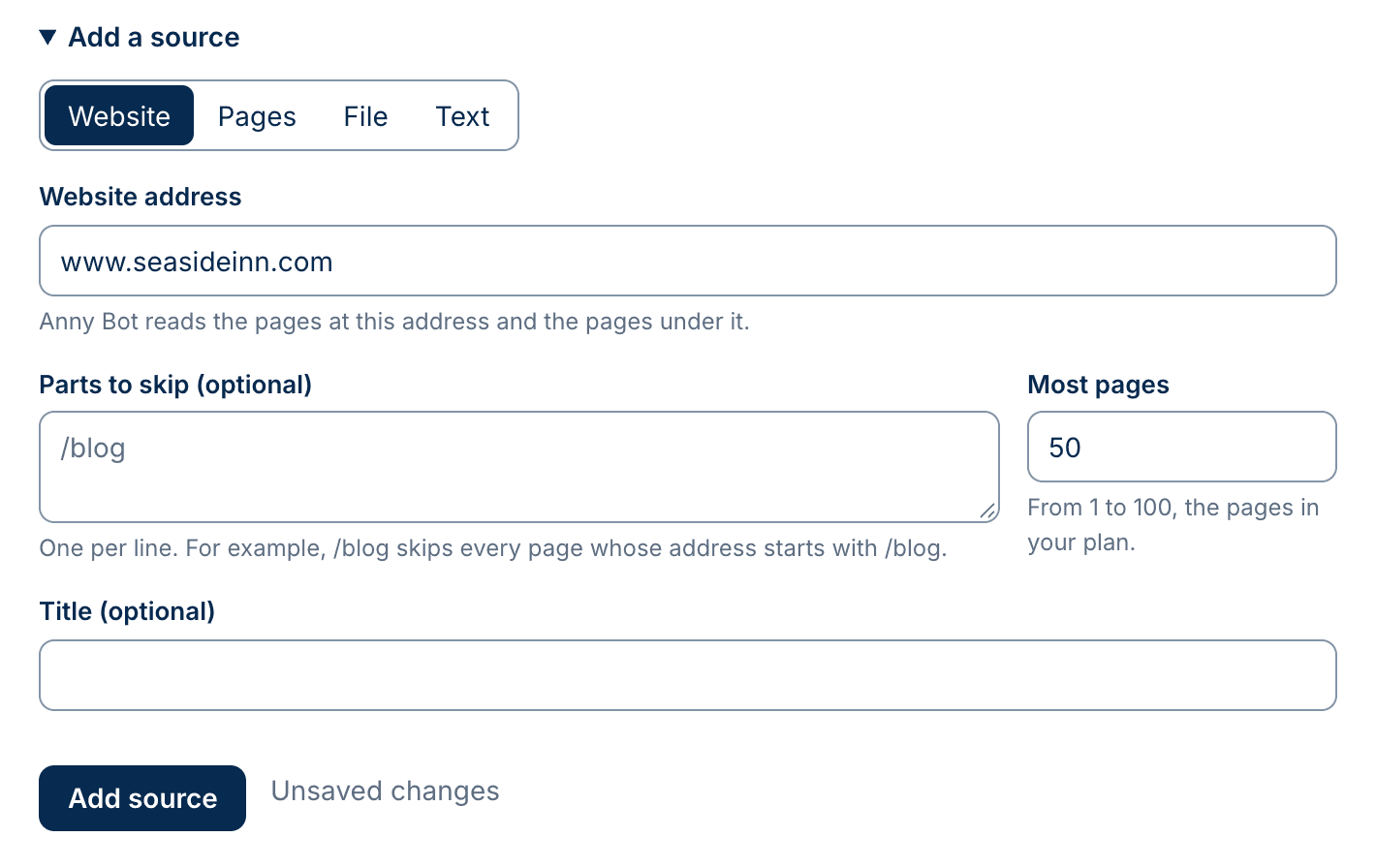
The Add a source form in Anny Bot, with a choice of website, pages, file, or text, and a field for the website address.
Adding a website in Anny Bot.

One line on your website. That is the whole install.

You do not need to understand the line. Copy it from the Install tab in Anny Bot. Then paste it, or send it to someone who can.

Your line looks like this
<script src="https://bot.anny.ai/embed.js" data-bot="bot_…" async></script>
  • Send it to your website person

    Copy the line and send it to the person or company that looks after your website. Ask them to add it to every page.

  • Paste it yourself

    Most website builders have a place for it in their settings, often named custom code, footer code, or code injection.

  • Share a link instead

    If you cannot change your website, every assistant also has its own chat page. Put the link in an email, a social post, or a button.

Answers for your visitors. Requests for you.

Answers from your own content
It answers from the pages, files, and text that you approve, and links to the page it used. It does not search the web.
Your inquiry form, in the chat
Ask for the details your team needs, such as name, email, and dates. A visitor can send the form at any time.
Leads by email and in your CRM
Each request goes to your inbox. On every plan, it can also go to Attio or Monday.com.
Every conversation, in one place
Read what visitors ask, and see which conversations ended with a request.
Looks like your business
Your color, your logo, your greeting, and your words on the chat button.
Voice calls (beta)
Visitors can talk to your assistant on a call from the chat. An add-on for $15 a month.

Simple plans, with your CRM included

  • Starter

    $19 a month

    200 chats a month, 100 pages of content

  • Growth

    $49 a month

    750 chats a month, 500 pages of content

  • Pro

    $129 a month

    2,000 chats a month, 1,000 pages of content

Every plan includes

  • Your CRM: Attio or Monday.com
  • Lead emails and the inquiry form
  • Unlimited people from your company
  • Free test chats
  • Every conversation and lead
  • Your own chat page to link to

Questions

Ask the demo in the corner, or write to help@anny.ai.

Do I need technical skills?

No. You type your website address, try the answers, and copy one line to your website. If someone else looks after your website, send them that line.

Where does it get its answers?

From your own content: your website, and any files or text that you add. It does not search the web. When your website changes, build your content again, and Anny Bot reads the new pages.

What if it does not know the answer?

It says so, and offers your inquiry form, so the visitor can ask your team. You get the request by email.

Will it work on my website?

It works on any website where you can add one line of code to every page. Most website builders allow this. If yours does not, share a link to your own chat page instead.

How do I get the leads?

By email, as soon as a visitor sends the form. On every plan, Anny Bot can also add each lead to Attio or Monday.com.

Can I try it first?

Yes. Every plan starts with a 14-day free trial. You enter your card at the start, and you pay nothing if you cancel within 14 days.

Can my team use it?

Yes. Add as many people from your company as you like, at no extra cost.

Try it with your own website

Add your website and ask the questions that your visitors ask. Nothing shows on your website until you add the line and set your assistant to Live.

Free for 14 days. Plans from $19 a month. Cancel at any time.